🚀 들어가며
NASA cFS 팀은 일반 사용자를 위한 교육 세션을 제공한다. 교육 목록은 cFS 공식 웹사이트(클릭)에서 확인할 수 있다.
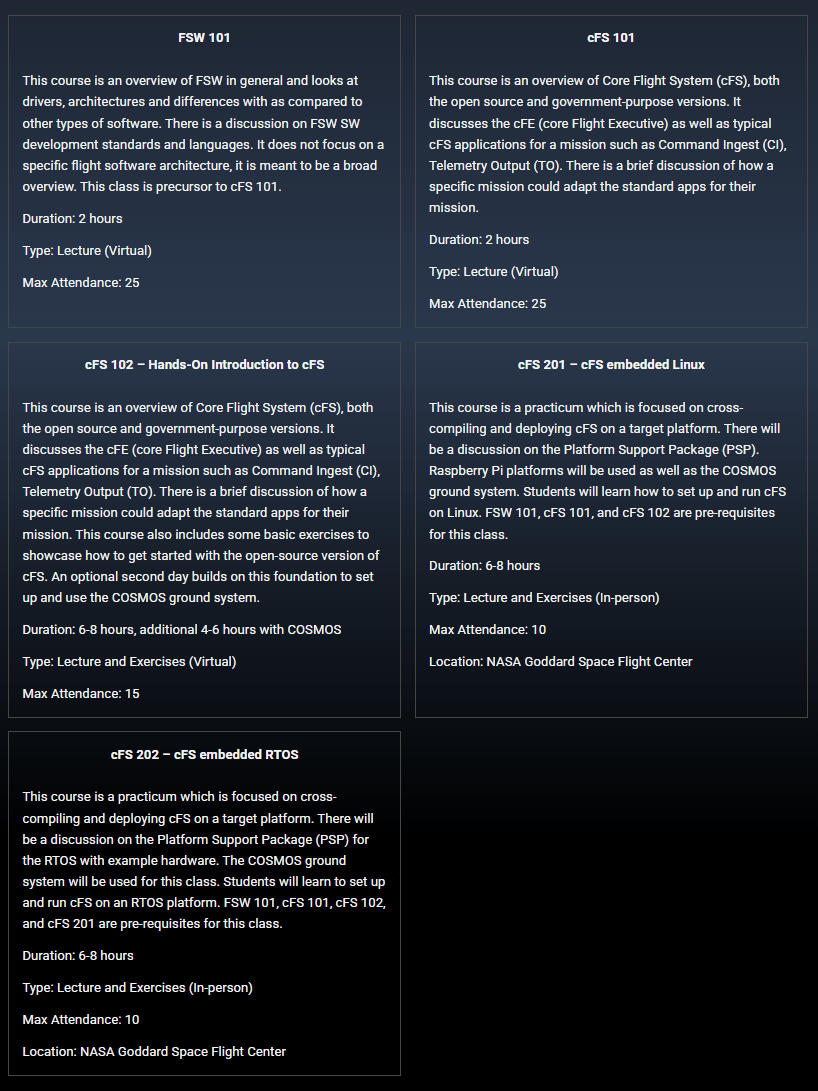
다섯 개의 교육 과정 중 FSW101, CFS101, CFS102는 온라인 세션이며, CFS201, CFS202는 NASA GSFC에서 진행하는 오프라인 세션이다.
그 중에서도 CFS-101이 Github에 오픈소스로 공개되어 있어 학습에 활용해 보려 한다.
📚 CFS-101 교육자료 다운로드
CFS-101 Github repository(클릭)에서 프로젝트를 다운로드한다.
주의: 프로젝트 크기가 큰 편이기 때문에 clone 시에 시간이 굉장히 오래 걸린다. 꼭 사진처럼 다운로드하는 것을 권장한다.
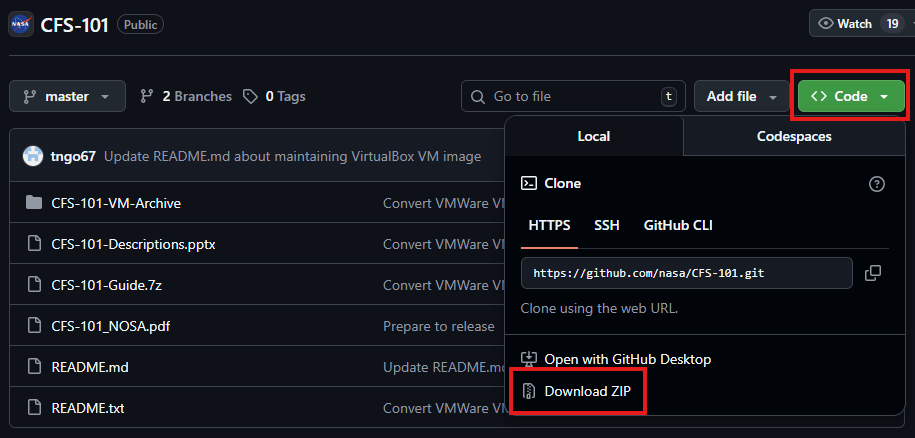
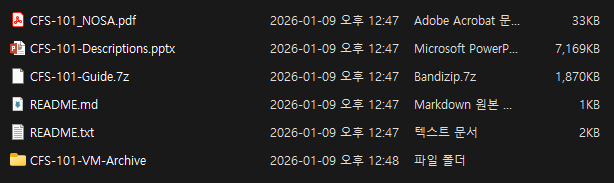
약 5분 정도 소요되며, 이후 CFS-101-master.zip 파일의 압축을 풀고 파일이 잘 다운로드되었는지 확인한다. 이후 README.txt 파일의 지시를 따라 진행한다.
🤖 VirtualBox 다운로드
반드시 윈도우 PC에서 진행해야 합니다. MacOS에서는 CFS-101 컨테이너가 정상 작동하지 않습니다.
CFS-101은 모두에게 동일한 환경을 제공하기 위해 VirtualBox를 통한 VM을 사용한다. 먼저 Oracle VirtualBox 다운로드 페이지(클릭)에 접속한다.
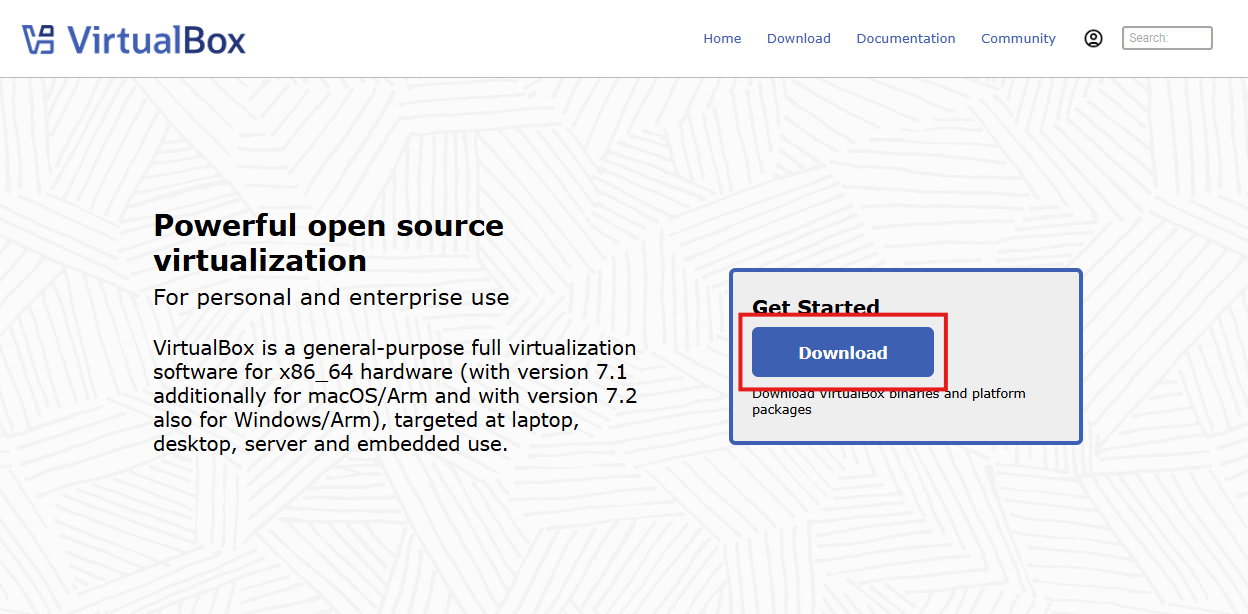
Windows hosts 패키지를 다운로드한다.
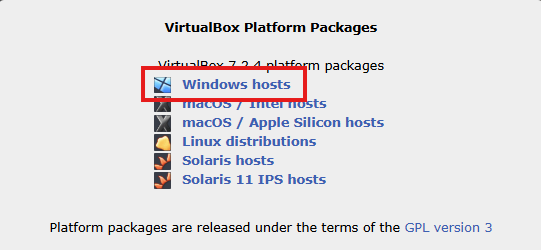
VirtualBox-7.2.4-170995-Win.exe 파일이 다운로드되면 해당 파일을 실행하고 설치 마법사의 지시에 따라 진행한다. VirtualBox 다운로드 과정까지 작성하기에는 글이 길어질 것 같아 생략하니 필요하다면 구글링 해보시길😉
⚡ VM Container 실행
컨테이너 파일을 압축 해제하기 위해서는 반디집이나 7-Zip 툴을 설치해야 한다. 나는 반디집으로 진행했는데, 공식 문서에서는 7-Zip을 권장하고 있다.
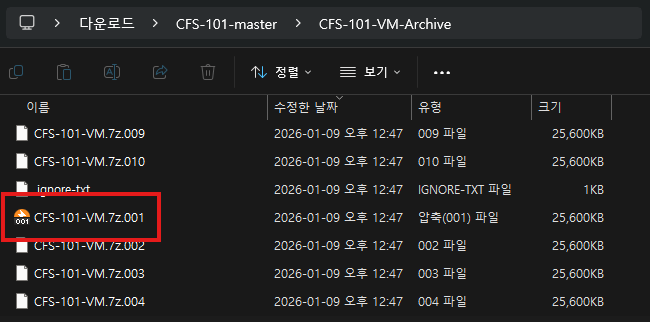
CFS-101-VM.zip.001 더블 클릭 후 반디집 내에서 '풀기'를 클릭하면 자동으로 압축 해제가 진행된다.
7-Zip을 사용하는 경우, README.txt의 설명대로 CFS-101-VM.zip.001을 우클릭하고 7-Zip → Extract to "CFS-101-VM" 을 차례로 선택해 압축을 해제한다.
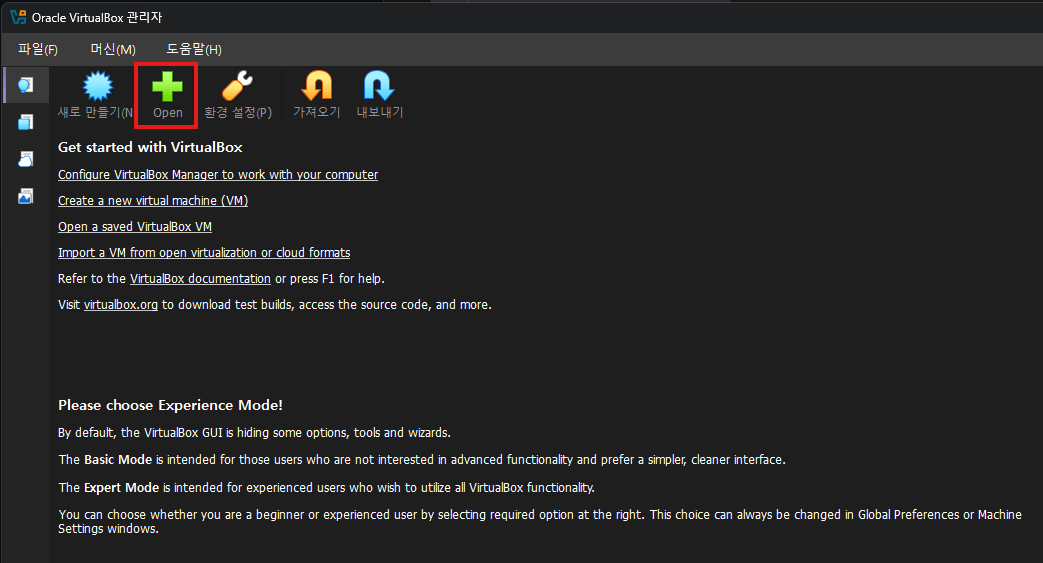
VirtualBox를 실행하고 'Open' 버튼을 클릭한다.
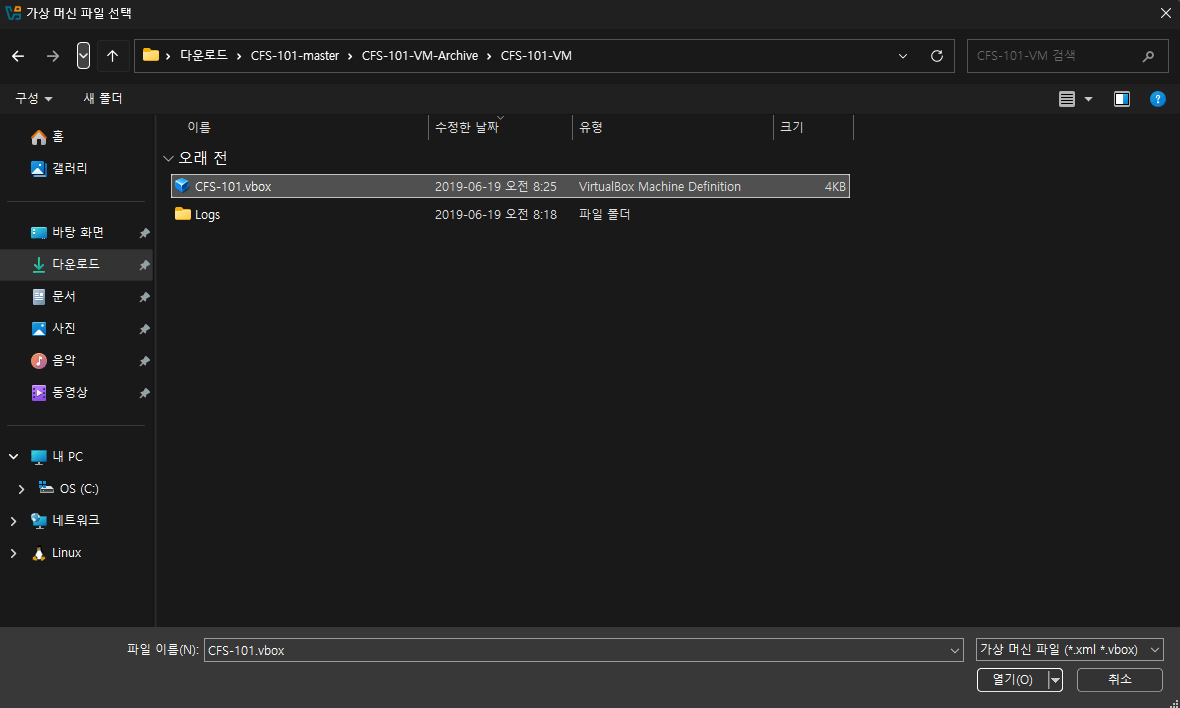
아까 압축 해제한 폴더에 들어가 CFS-101.vbox라는 이름의 VirtualBox Machine Definition 파일을 열어 준다.
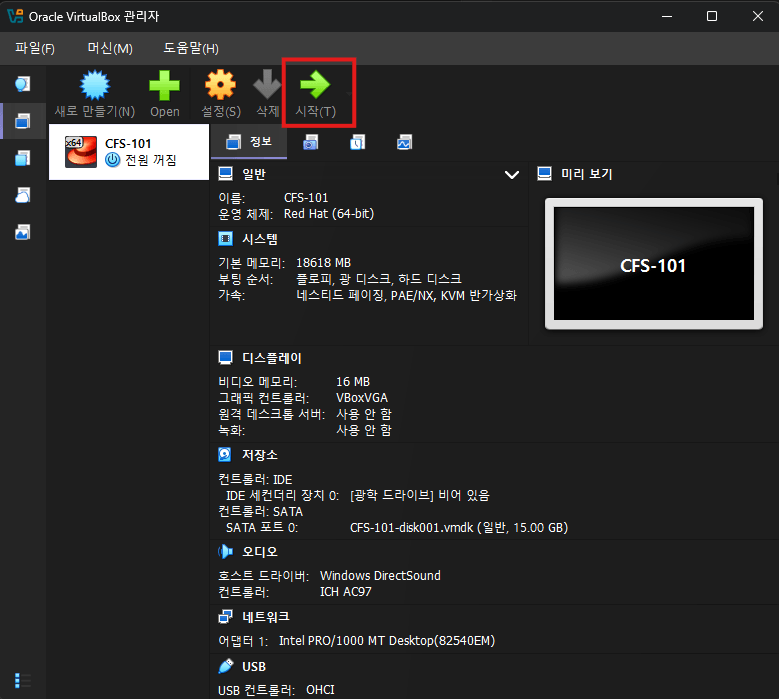
시작 버튼을 클릭하면 컨테이너가 정상 실행된다.
🚶 CFS-101 시작하기
교재 파일 압축 해제
CFS-101-master 폴더 내의 CFS-101-Guide.7z 파일도 마찬가지로 압축 해제한다. 이때는 반디집, 7-Zip, 윈도우 11 기본 압축 툴 모두 사용 가능하다.
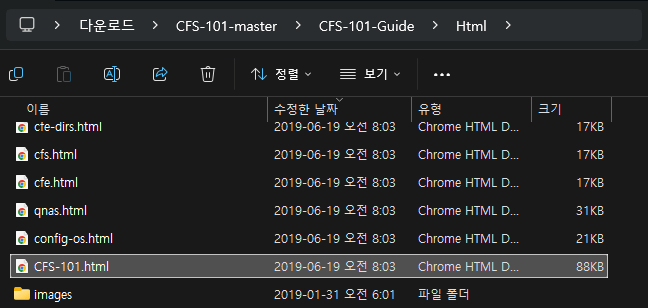
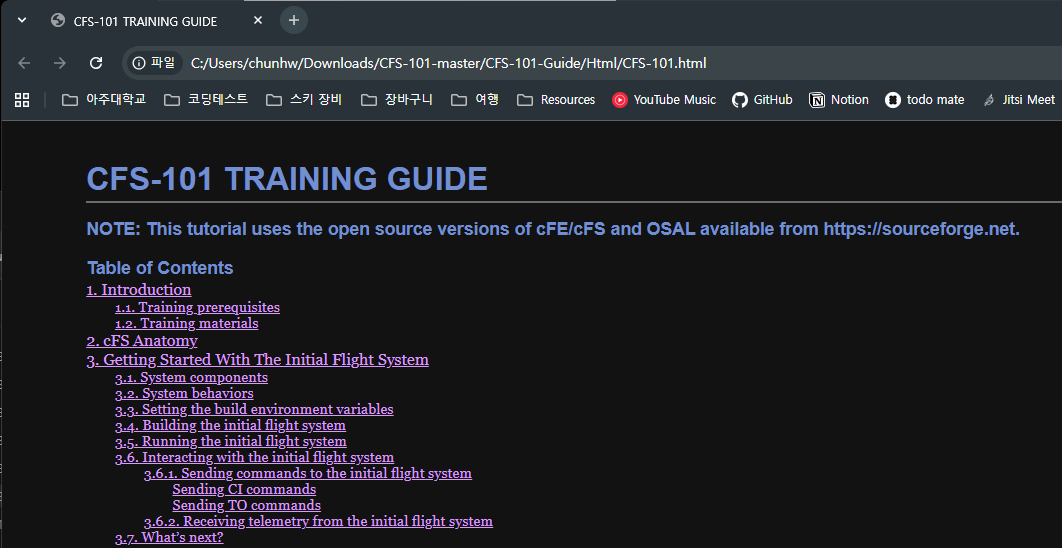
CFS-101.html 파일을 열면 CFS-101 Guide 웹 페이지가 나타난다.
VM 유저 로그인
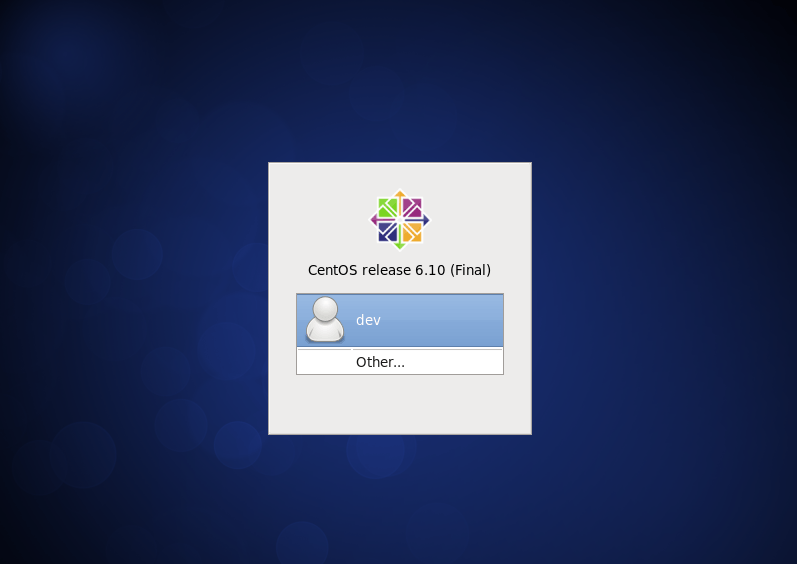
dev 유저의 비밀번호 cfs101!!을 입력하여 로그인한다.
▶️ cFE Core 실행
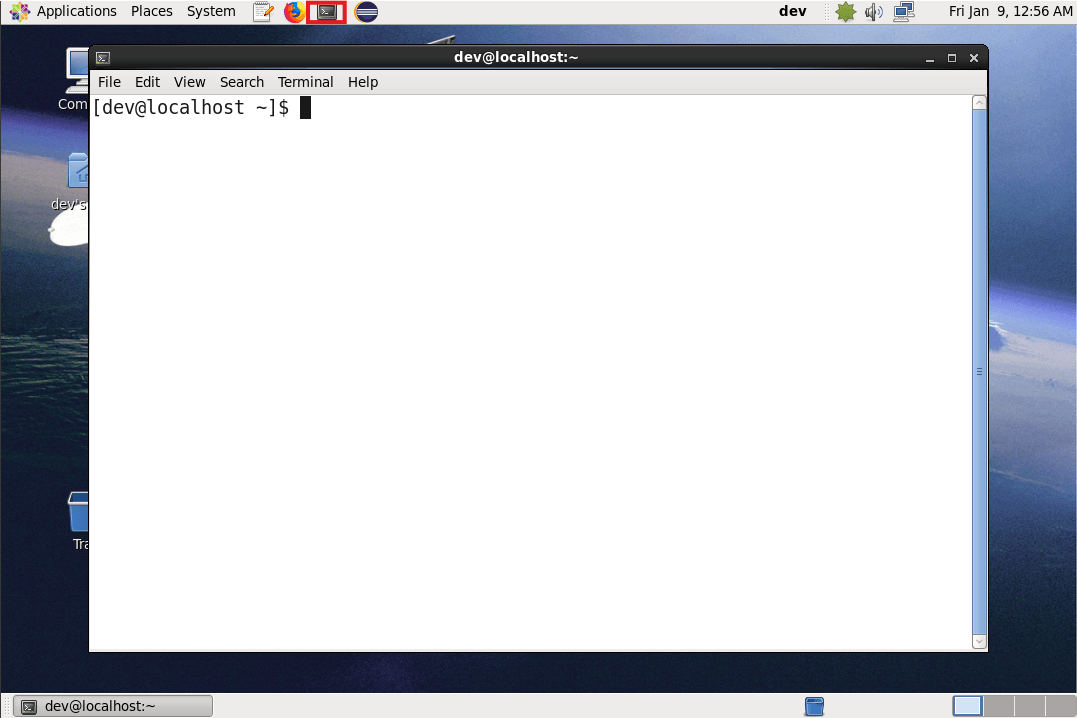
컨테이너에 성공적으로 접속했다면 상단의 터미널 아이콘을 눌러 터미널을 열어 준다.
Set Variables
다음 명령어로 데모 프로젝트 위치로 이동하고, cFS를 실행하기 위한 변수들을 설정한다.
cd /home/dev/Training_workspace/CFS-101
source setvars.sh
Build executable
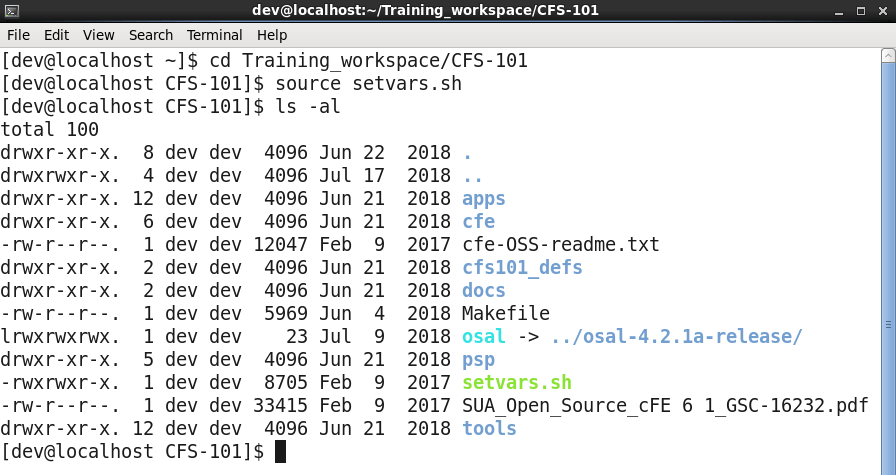
CFS-101 내부의 파일 목록을 살펴보면 Makefile이 있다. 이 Makefile을 사용하여 cFS를 빌드한다.
make prep
make
make install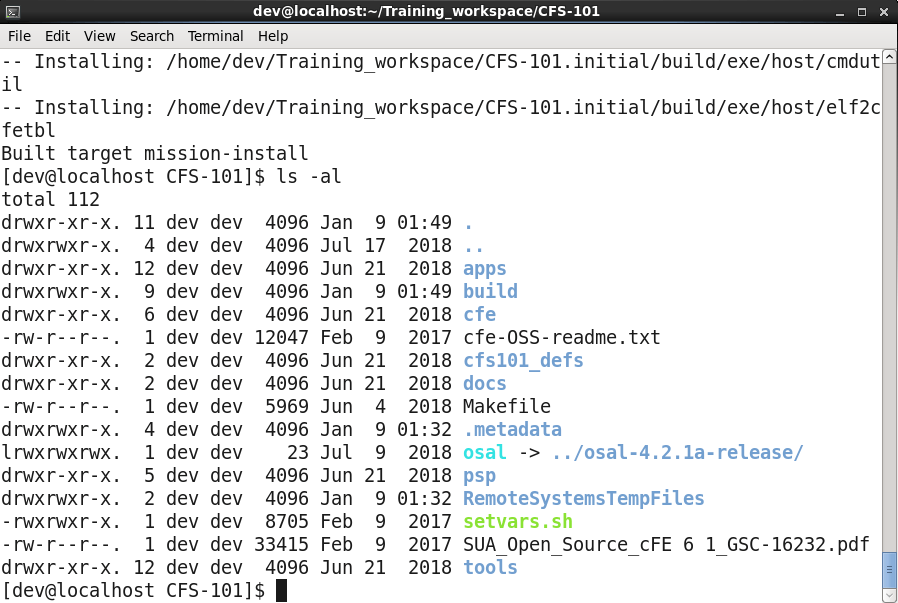
빌드 후에는 사진과 같이 build 디렉토리가 생성된다. build 안에는 실행 파일과 실행에 필요한 스타트업 파일들이 위치한다.
Execute core ELF file
다음 명령어로 cFE core를 실행한다.
cd /home/dev/Training_workspace/CFS-101/build/exe/cpu1
./core-cpu1
🧐 cFS 동작 살펴보기
성공적으로 core-cpu1 파일을 실행했다면 다음과 유사한 로그가 출력되었을 것이다.
CFE_PSP: Default Reset Type = PO
CFE_PSP: Default Reset SubType = 1
CFE_PSP: Default CPU ID = 1
CFE_PSP: Default Spacecraft ID = 42
CFE_PSP: Default CPU Name: cpu1
CFE_PSP: Starting the cFE with a POWER ON reset.
CFE_PSP: Clearing out CFE CDS Shared memory segment.
CFE_PSP: Clearing out CFE Reset Shared memory segment.
CFE_PSP: Clearing out CFE User Reserved Shared memory segment.
2028-156-18:56:44.85300 POWER ON RESET due to Power Cycle (Power Cycle).
2028-156-18:56:44.85304 ES Startup: CFE_ES_Main in EARLY_INIT state
CFE_PSP: CFE_PSP_AttachExceptions Called
2028-156-18:56:44.85314 ES Startup: CFE_ES_Main entering CORE_STARTUP state
2028-156-18:56:44.85314 ES Startup: Starting Object Creation calls.
2028-156-18:56:44.85315 ES Startup: Calling CFE_ES_CDSEarlyInit
2028-156-18:56:44.85324 ES Startup: Calling CFE_EVS_EarlyInit
2028-156-18:56:44.85328 Event Log cleared following power-on reset
2028-156-18:56:44.85329 ES Startup: Calling CFE_SB_EarlyInit
2028-156-18:56:44.85338 ES Startup: Calling CFE_TIME_EarlyInit
1980-012-14:03:20.00000 ES Startup: Calling CFE_TBL_EarlyInit
1980-012-14:03:20.00015 ES Startup: Calling CFE_FS_EarlyInit
1980-012-14:03:20.00046 ES Startup: Core App: CFE_EVS created. App ID: 0
EVS Port1 42/1/CFE_EVS 14: No subscribers for MsgId 0x808,sender CFE_EVS
EVS Port1 42/1/CFE_EVS 1: cFE EVS Initialized. cFE Version 6.5.0.0
1980-012-14:03:20.05162 ES Startup: Core App: CFE_SB created. App ID: 1
1980-012-14:03:20.05165 SB:Registered 4 events for filtering
EVS Port1 42/1/CFE_SB 14: No subscribers for MsgId 0x808,sender CFE_SB
EVS Port1 42/1/CFE_SB 1: cFE SB Initialized
1980-012-14:03:20.10238 ES Startup: Core App: CFE_ES created. App ID: 2
EVS Port1 42/1/CFE_SB 14: No subscribers for MsgId 0x808,sender CFE_ES
EVS Port1 42/1/CFE_ES 1: cFE ES Initialized
EVS Port1 42/1/CFE_SB 14: No subscribers for MsgId 0x808,sender CFE_ES
EVS Port1 42/1/CFE_ES 2: Versions:cFE 6.5.0.0, OSAL 4.2.1.0, PSP 1.3.0.0, chksm 10387
EVS Port1 42/1/CFE_SB 14: No subscribers for MsgId 0x808,sender CFE_ES
EVS Port1 42/1/CFE_ES 91: Mission error/unknown.cfs101, error/unknown, error/unknown
EVS Port1 42/1/CFE_ES 92: Build 201806051353 dev@localhost.localdomain
1980-012-14:03:20.15302 ES Startup: Core App: CFE_TIME created. App ID: 3
EVS Port1 42/1/CFE_TIME 1: cFE TIME Initialized
1980-012-14:03:20.20345 ES Startup: Core App: CFE_TBL created. App ID: 4
EVS Port1 42/1/CFE_TBL 1: cFE TBL Initialized.  cFE Version 6.5.0.0
1980-012-14:03:20.25362 ES Startup: Finished ES CreateObject table entries.
1980-012-14:03:20.25363 ES Startup: CFE_ES_Main entering CORE_READY state
1980-012-14:03:20.25367 ES Startup: Opened ES App Startup file: /cf/cfe_es_startup.scr
1980-012-14:03:20.25426 ES Startup: Loading shared library: /cf/sample_lib.so
SAMPLE Lib Initialized.  Version 1.0.0.01980-012-14:03:20.25450 ES Startup: Loading file: /cf/sample_app.so, APP: SAMPLE_APP
1980-012-14:03:20.25470 ES Startup: SAMPLE_APP loaded and created
1980-012-14:03:20.25481 ES Startup: Loading shared library: /cf/io_lib.so
1980-012-14:03:20.25496 IO Lib Initialized.  Version 1.0.0.0
1980-012-14:03:20.25510 ES Startup: Loading file: /cf/ci.so, APP: CI
1980-012-14:03:20.25521 ES Startup: CI loaded and created
1980-012-14:03:20.25532 ES Startup: Loading file: /cf/to.so, APP: TO
1980-012-14:03:20.25542 ES Startup: TO loaded and created
1980-012-14:03:20.25554 ES Startup: Loading file: /cf/sch.so, APP: SCH
1980-012-14:03:20.25572 ES Startup: SCH loaded and created
EVS Port1 42/1/SAMPLE_APP 4: SAMPLE: RESET command
EVS Port1 42/1/SAMPLE_APP 1: SAMPLE App Initialized. Version 1.0.0.0
EVS Port1 42/1/CI 2: Application initialized
EVS Port1 42/1/TO 2: Application initialized
EVS Port1 42/1/SCH 1: SCH Initialized. Version 2.2.1.0
1980-012-14:03:20.30586 ES Startup: CFE_ES_Main entering OPERATIONAL state
EVS Port1 42/1/CFE_TIME 21: Stop FLYWHEEL
EVS Port1 42/1/SCH 18: Multiple slots processed: slot = 96, count = 5
EVS Port1 42/1/SCH 18: Multiple slots processed: slot = 96, count = 5
. . . .
1. PSP 초기화
CFE_PSP: Starting the cFE with a POWER ON reset.
CFE_PSP: Clearing out CFE CDS Shared memory segment.
PSP가 먼저 리셋 타입을 결정하고, 공유 메모리 영역을 초기화한다.
리셋 타입은 POWER ON reset과 PROCESSOR Reset으로 구별되고, 각 리셋 타입에 따라 메모리 초기화 방식이 달라진다. Power On reset은 모든 공유 메모리를 완전히 초기화하는 cold boot이고, Processor Reset은 일부 중요 데이터(CDS 등)를 보존하면서 재시작하는 warm boot이다.
/* psp/fsw/pc-linux/src/cfe_psp_start.c */

void CFE_PSP_DisplayUsage(char *Name)
{
    printf("        -R [ --reset ] Reset Type is one of:\n");
    printf("             PO   for Power On reset ( default )\n");
    printf("             PR   for Processor Reset\n");
}

if (reset_type == CFE_PSP_RST_TYPE_PROCESSOR)
{
    OS_printf("CFE_PSP: Starting the cFE with a PROCESSOR reset.\n");
}
else
{
    reset_type = CFE_PSP_RST_TYPE_POWERON;
    OS_printf("CFE_PSP: Starting the cFE with a POWER ON reset.\n");
}
2. Early Initialization
ES Startup: CFE_ES_Main in EARLY_INIT state
CFE_PSP: CFE_PSP_AttachExceptions Called
ES Startup: CFE_ES_Main entering CORE_STARTUP state
ES Startup: Calling CFE_ES_CDSEarlyInit
ES Startup: Calling CFE_EVS_EarlyInit
ES Startup: Calling CFE_SB_EarlyInit
ES Startup: Calling CFE_TIME_EarlyInit
ES Startup: Calling CFE_TBL_EarlyInit
ES Startup: Calling CFE_FS_EarlyInit
Executive Services(ES)가 가장 먼저 시작되어 예외 처리기를 연결한다.
이후 각 core 서비스(CDS, EVS, SB, TIME, TBL, FS)의 기본 자료구조와 내부 데이터를 초기화한다. 이때 아직 스레드/태스크로 생성되지 않은 상태이다.
3. Core Apps 생성
ES Startup: Core App: CFE_EVS created. App ID: 0
ES Startup: Core App: CFE_SB created. App ID: 1
ES Startup: Core App: CFE_ES created. App ID: 2
ES Startup: Core App: CFE_TIME created. App ID: 3
ES Startup: Core App: CFE_TBL created. App ID: 4
각 core 서비스를 독립적인 스레드/태스크로 생성한다. 이제 각 서비스는 자신의 실행 컨텍스트를 가지게 된다.
4. User Apps 로딩 (CORE_READY 상태)
ES Startup: CFE_ES_Main entering CORE_READY state
ES Startup: Opened ES App Startup file: /cf/cfe_es_startup.scr
ES Startup: Loading shared library: /cf/sample_lib.so
ES Startup: Loading file: /cf/sample_app.so, APP: SAMPLE_APP
/cf 디렉토리에서 cfe_es_startup.scr 파일을 찾아 읽은 후, 같은 디렉토리에서 라이브러리와 애플리케이션들을 순차적으로 로드한다.
cfe_es_startup.scr에는 미션 수행에 필요한 모듈이 기록되어 있으며, 유저가 구현한 mission-specific 애플리케이션을 자유롭게 추가할 수 있다.
CFE_LIB, cfe_assert,  CFE_Assert_LibInit, ASSERT_LIB,    0,   0,     0x0, 0;
CFE_LIB, sample_lib,  SAMPLE_LIB_Init,    SAMPLE_LIB,    0,   0,     0x0, 0;
CFE_APP, sample_app,  SAMPLE_APP_Main,    SAMPLE_APP,   50,   16384, 0x0, 0;
CFE_APP, ci_lab,      CI_Lab_AppMain,     CI_LAB_APP,   60,   16384, 0x0, 0;
CFE_APP, to_lab,      TO_Lab_AppMain,     TO_LAB_APP,   70,   16384, 0x0, 0;
CFE_APP, sch_lab,     SCH_Lab_AppMain,    SCH_LAB_APP,  80,   16384, 0x0, 0;
!
! Startup script fields:
! 1. Object Type      -- CFE_APP for an Application, or CFE_LIB for a library.
! 2. Path/Filename    -- This is a cFE Virtual filename, not a vxWorks device/pathname
! 3. Entry Point      -- This is the "main" function for Apps.
! 4. CFE Name         -- The cFE name for the APP or Library
! 5. Priority         -- This is the Priority of the App, not used for Library
! 6. Stack Size       -- This is the Stack size for the App, not used for the Library
! 7. Load Address     -- This is the Optional Load Address for the App or Library. Currently not implemented
!                        so keep it at 0x0.
! 8. Exception Action -- This is the Action the cFE should take if the App has an exception.
!                        0        = Just restart the Application
!                        Non-Zero = Do a cFE Processor Reset
!
! Other  Notes:
! 1. The software will not try to parse anything after the first '!' character it sees. That
!    is the End of File marker.
! 2. Common Application file extensions:
!    Linux = .so  ( ci.so )
!    OS X  = .bundle  ( ci.bundle )
!    Cygwin = .dll ( ci.dll )
!    vxWorks = .o ( ci.o )
!    RTEMS with S-record Loader = .s3r ( ci.s3r )
!    RTEMS with CEXP Loader = .o ( ci.o )
! 3. The filename field (2) no longer requires a fully-qualified filename; the path and extension
!    may be omitted.  If omitted, the standard virtual path (/cf) and a platform-specific default
!    extension will be used, which is derived from the build system.
5. 운영 모드 진입
ES Startup: CFE_ES_Main entering OPERATIONAL state✨ 마치며
이전 포스팅에서 cFS의 구조를 살펴봤다면 이번에는 실습을 해 보았다!😎 특히 OSAL과 PSP는 프로젝트 진행 과정에서 많이 들여다봤었는데, CFE는 비교적 코드를 뜯어보지 않아서 이번 기회에 정리할 수 있었다.
CFS-101은 이렇게 코어를 실행하는 것부터 시작해 GroundSystem으로 텔레메트리 송수신하기, 그리고 실제 애플리케이션 추가하기의 세 단계로 이루어져 있다.
다음 포스팅에서는 GroundSystem을 실행해서 실제 위성체와 지상 기지국이 어떻게 통신하는지 알아볼 예정이다.